
Estimated read time: 8 minutes
If you maintain a plant in Peninsular Malaysia, Sabah, Sarawak or Singapore, you have probably stood in front of an Allen-Bradley panel and wondered which software opens it. The chassis says CompactLogix, the laptop has RSLogix 5000, and a colleague mentions Studio 5000. Mixing those names up is the fastest way to spend a week on the wrong software.
This guide explains what CompactLogix is, how RSLogix 5000 relates to it, and what you need to learn before you touch a live panel. It is educational only — practice on a training kit, never on a running machine.
CompactLogix in one paragraph
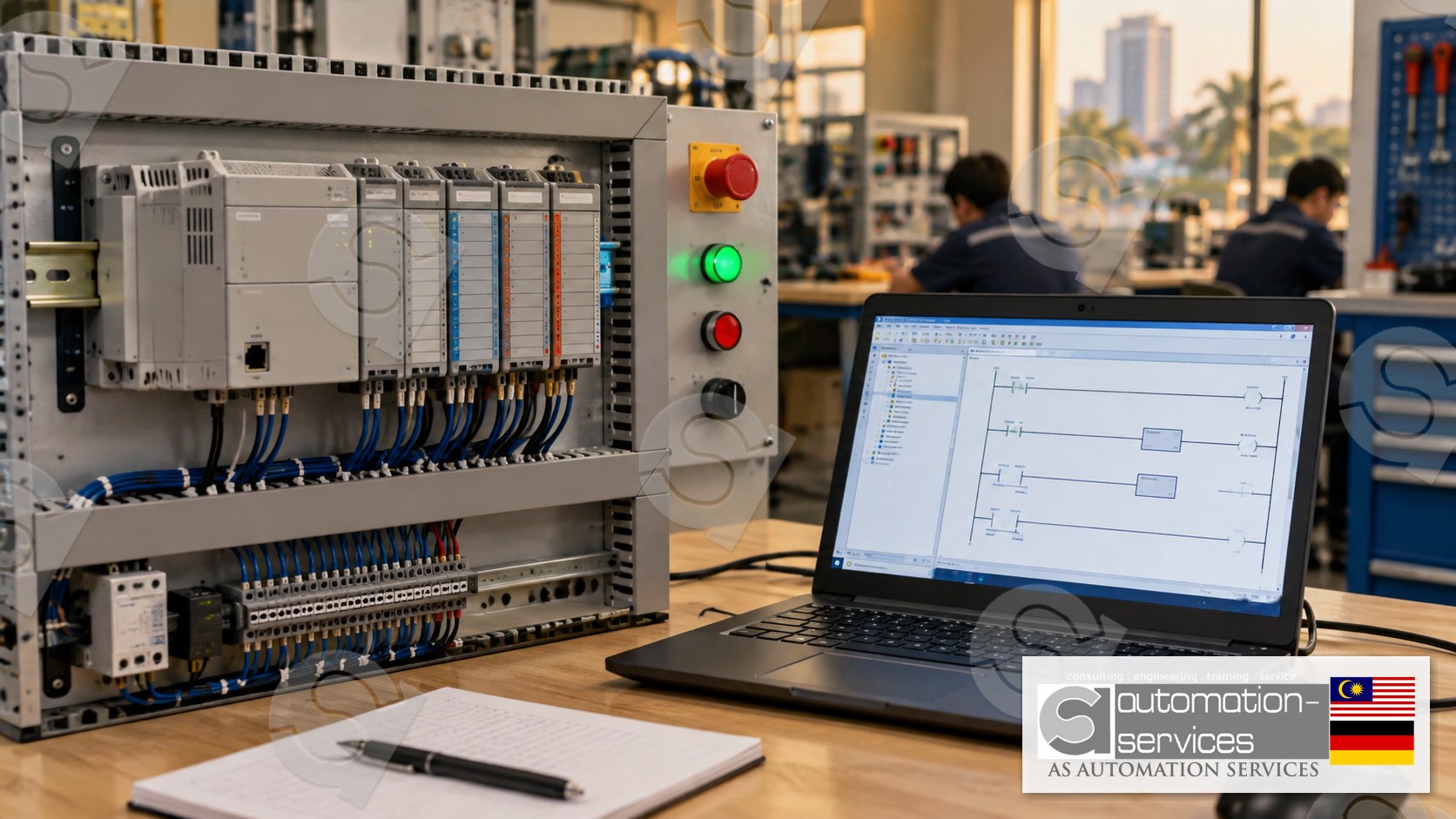
CompactLogix is a family of modular PLC controllers from Allen-Bradley (Rockwell Automation). Unlike a fixed brick PLC, a CompactLogix controller sits on a DIN rail or in a small chassis and you add I/O modules as the machine grows: digital inputs, digital outputs, analog cards and communication modules. In Malaysian plants you will meet it on packaging lines, food and beverage fillers, conveyor systems at ports and shipyards, and on small process skids in electronics and oil and gas service workshops. It is the mid-size workhorse: more expandable than a MicroLogix brick, smaller than a full ControlLogix chassis.
What matters for you as the person who has to program or troubleshoot it is not the chassis. It is the software that talks to it.
RSLogix 5000, Studio 5000 and the naming trap
RSLogix 5000 is the programming software for the Logix 5000 controller family. That family includes CompactLogix and ControlLogix. One software package, two hardware lines, the same ladder logic, the same tag database, the same project file extension. If you can write a program for one, you can read a program for the other.
Rockwell later renamed the suite to Studio 5000, and Studio 5000 Logix Designer is the current name of the same programming environment. When a job advertisement in Johor or Singapore asks for either name, it is usually asking for the same skill. The screens differ slightly between versions; the logic does not.
The trap is the number. RSLogix 500 is a different product for a different controller family — MicroLogix and SLC 500. The project files do not open in each other. We wrote a separate guide on that exact mix-up: RSLogix 500 vs an online course, for MicroLogix plant engineers. Read that one if your panel is a brick PLC. Stay on this page if the chassis is CompactLogix or ControlLogix.
A quick map you can keep
- MicroLogix / SLC 500 — programmed with RSLogix 500. Fixed or limited I/O. Older plants, smaller machines.
- CompactLogix — programmed with RSLogix 5000 / Studio 5000. Modular, DIN-rail or small chassis, the common choice for new mid-size machines.
- ControlLogix — same software as CompactLogix, larger chassis, used where the I/O count or the redundancy requirement is high.
Learn the software once and both CompactLogix and ControlLogix open up. That is why a CompactLogix course is the better starting point than a controller-specific tutorial.
What you actually do in RSLogix 5000
A Logix 5000 project is built around tags, not fixed data files. Instead of memorising addresses like N7:0, you name a tag Mixer_Start and the controller stores it. That tag-based style is the biggest adjustment if you came from RSLogix 500, and a short online video rarely makes it stick — you need to build the tag list yourself.
The work you will repeat on every machine looks like this.
Controller Organizer and tasks
The project tree holds tasks, programs and routines. A continuous task runs all the time; a periodic task runs on a clock. Most CompactLogix machines you meet run one continuous task with a handful of routines, and knowing where the main routine sits saves the first twenty minutes of any troubleshooting call.
Ladder logic and function block
Ladder is still what you will read on most Malaysian panels. Function block appears once analog control or drives enter the picture, which is why it belongs in a longer course rather than day one. The instruction set — XIC, XIO, OTE, timers, counters, MOV, CMP — is shared with ControlLogix, so practice on a CompactLogix kit transfers directly.
Going online, and why that step is dangerous
RSLogix 5000 lets you go online with a running controller, watch live data and edit logic while the machine runs. That is how experienced technicians earn their keep, and how an untrained person stops a line. On a training kit nothing moves if you get it wrong. On a filler, a conveyor or a skid, it does.
Safety note: everything described here is for a training-kit context. Do not download a project, force an I/O point or edit logic online on live plant equipment unless you are authorised, the machine is in a safe state and a qualified person is supervising. A wrong download can overwrite the program the plant depends on.
Why an online course leaves a gap
A recorded course can teach you the menu names. It cannot hand you a controller, a faulty input and twenty minutes to find it. The gap shows up at work: you can describe a timer but you have never wired one, and you have never watched a controller fault because the firmware revision did not match the project.
The HMI makes the gap wider. Operators start and stop the machine from the screen, and many reported PLC faults are really HMI tag mismatches. Learning the PLC alone leaves you blind to the screen the operator is pointing at.
How a Hands-On CompactLogix course is structured
At AS Automation Services and AS Automation Systems Training Centre PLT in Johor Bahru, the Allen-Bradley track uses RSLogix 5000 with CompactLogix and ControlLogix hardware, and the HMI is taught in the same class, never as a standalone subject. The standard exercise is the Mixer Tank project: level, a motor and valves, enough to cover sequencing, alarms and an HMI screen.
Two lengths cover it:
- 3 days, Basic to Intermediate — PLC plus HMI. You build the tag database, write the ladder, wire the kit and make the HMI buttons drive the same tags. Best if you already maintain panels and need to read and modify programs confidently. See the Allen-Bradley RSLogix 500 3-day course if your plant is MicroLogix instead.
- 5 days, Basic to Advanced — adds analog I/O, a variable frequency drive, webserver and IIoT topics, and SCADA, all bundled with the PLC. This is the right length if you will commission a new CompactLogix panel rather than only maintain one. Details are on the Allen-Bradley RSLogix 5000 5-day course page.
Both formats are 80% Hands-On and 20% theory, capped at 10 participants. Classes of five or more can run onsite anywhere in Peninsular Malaysia, Sabah, Sarawak or Singapore; smaller groups train at the Johor Bahru lab. You get a manual, a laptop, a PLC hardware kit, a certificate and free lifetime support.
For Malaysian companies, the training is HRDCorp SBL-Khas claimable with a minimum of two participants, whether the company sponsors the seat or you enrol personally. Singapore participants train at the same lab or onsite; the claim scheme itself applies to Malaysian companies only.
Who should start with CompactLogix
Start here if your plant runs CompactLogix or ControlLogix and you are the person called when the line stops. It suits maintenance and electrical engineers, automation technicians, project engineers and fresh graduates whose employers in electronics, food and beverage, ports and oil and gas service companies advertise for this exact skill.
Take the RSLogix 500 track instead if every panel you open is a MicroLogix or SLC 500 brick. Your plant will not reward you for learning a controller it does not own.
Training managers should count panels, not brands. A site full of CompactLogix machines should send people to RSLogix 5000; a site full of MicroLogix bricks should not. Sending a department to the wrong software wastes the whole week.
Frequently asked questions
Is RSLogix 5000 the same software as Studio 5000?
Studio 5000 is the newer suite name and RSLogix 5000 is the programming environment inside it, now called Studio 5000 Logix Designer. The ladder, tags and project structure are the same skill. If a job post in Malaysia or Singapore names either one, treat it as the same requirement and check the controller family instead.
Can one course cover both CompactLogix and ControlLogix?
Yes. Both controllers are programmed in RSLogix 5000 with the same instructions and the same tag-based project. A course built on CompactLogix hardware teaches you to open and edit a ControlLogix project as well. The difference you still need to learn on site is the chassis, the power supply and the I/O layout, not the logic.
Do I need RSLogix 500 experience before RSLogix 5000?
No. They are separate products for separate controllers, and the project files do not open in each other. RSLogix 500 helps only if your plant still runs MicroLogix or SLC 500. If your panels are CompactLogix, start directly with RSLogix 5000 and learn the tag database first — that is the part that takes the longest to feel natural.
Is the HMI included, or is it a separate class?
The HMI is taught inside the PLC course, never as a standalone class. In the 3-day format you build screens that read and write the same tags as your ladder. The 5-day format adds SCADA on top of that, again bundled with the PLC. That matches how panels are actually built, where the PLC and the screen share one tag list.
What to do next
If your panels are CompactLogix or ControlLogix, look at the RSLogix 5000 5-day course and compare it with the 3-day option on the courses page. If you are unsure which controller your plant actually runs, send a photo of the CPU nameplate before you enrol — the wrong software wastes the whole week.
- Courses: https://asasmy.com/training
- Troubleshooting support: https://asasmy.com/service-inquiry?service=troubleshooting
- HRDCorp SBL-Khas claimable training for Malaysian companies (minimum 2 participants; company-sponsored or personal enrolment)
- PLCPro Academy: https://asasmy.com/services/plcpro-academy
- Request a quotation: https://asasmy.com/rfq
- WhatsApp: +60 10-244 3914 (Mr. Yokes)
- Email: [email protected]
Interested in Hands-On PLC Training?
HRDCorp claimable courses on real industrial equipment — at our Johor Bahru lab or onsite at your factory anywhere in Malaysia.
Request Training Quotation