
Estimated read time: 8 minutes.
If you maintain a plant in Peninsular Malaysia, Sabah, Sarawak or Singapore and the panel still says S7-300, Simatic Manager is the software you will actually open on a call-out. A search for "simatic manager" often lands on a course recap, not on an explanation of what the software does. This guide is the missing page: what Simatic Manager is, how it differs from TIA Portal, and what you practise on a Siemens S7-300 before you book a class.
AS Automation Services has trained engineers on this platform in Johor Bahru since 2012. The notes below match the 3-day Basic-to-Intermediate and 5-day Basic-to-Advanced Siemens S7-300 courses, written so a maintenance engineer, a fresh graduate or an HR training manager can decide whether this is the right next skill.
What Simatic Manager actually is
Simatic Manager is the project shell inside the older STEP 7 family (the lab uses version 5.7). It is not a PLC. It is the Windows software you use to build, download and diagnose a program for a Siemens S7-300 or S7-400 CPU. When you create a project you get a station, a hardware configuration, and program blocks. Those blocks are what the CPU runs.
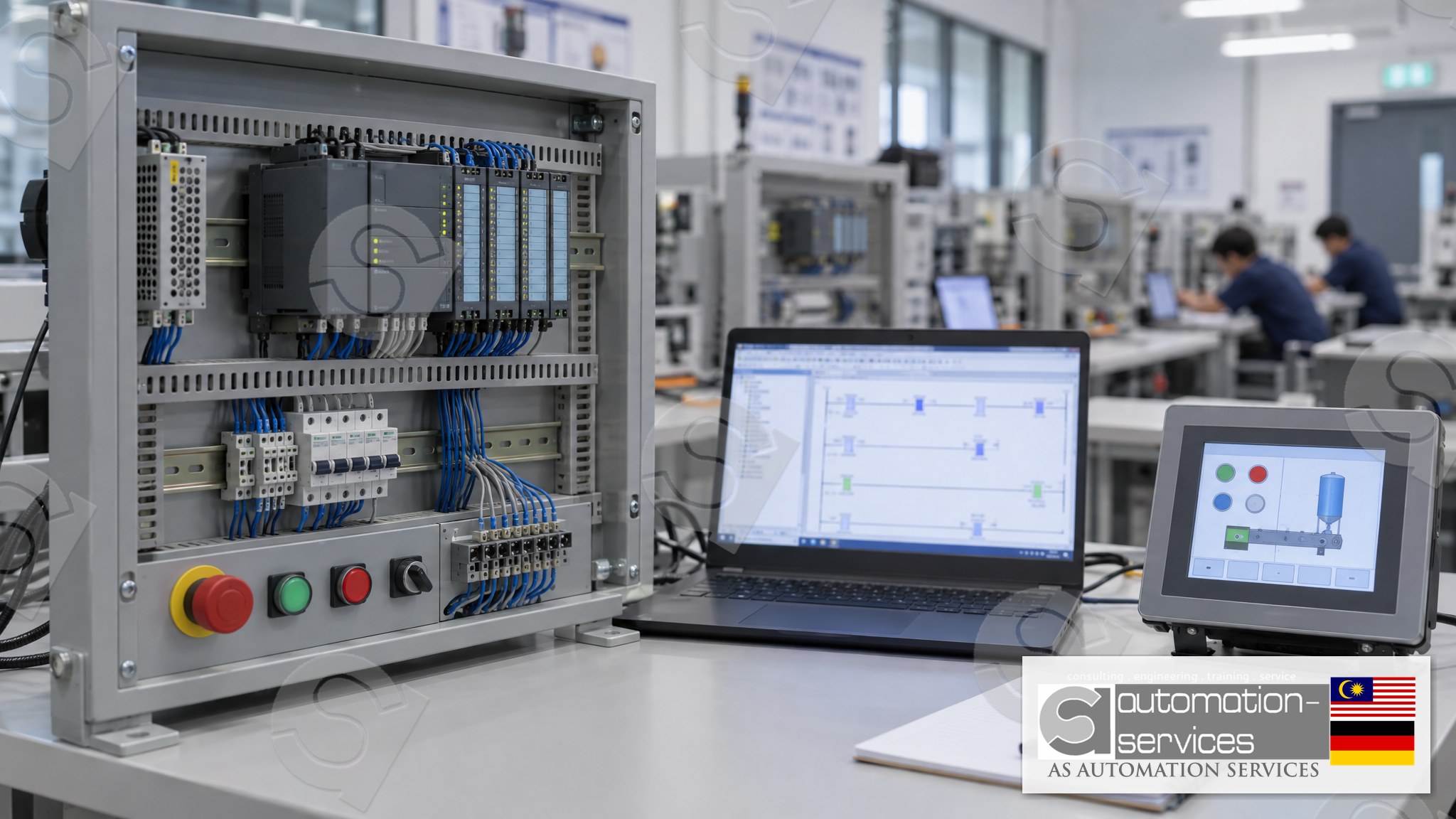
On a typical Malaysian plant the CPU is still an S7-300 with signal modules for digital and analog I/O, sometimes with a Profibus link to a drive. The HMI beside it is often programmed in WinCC Flexible, not in TIA Portal. That pairing — Simatic Manager plus WinCC Flexible — is exactly what the S7-300 course covers. HMI work is bundled into the PLC course. It is not sold as a standalone HMI class.
Simatic Manager vs TIA Portal: why both still matter
TIA Portal (the lab uses V18) is the current Siemens environment for S7-1200 and S7-1500, with WinCC Comfort for the HMI. Simatic Manager is the environment those older S7-300 and S7-400 stations were built in. You cannot open an S7-300 STEP 7 V5.7 project in TIA Portal and expect the hardware configuration, the instance data blocks and the WinCC Flexible screens to come across cleanly. Migration is a project, not a menu click.
That is why a plant with both generations needs both skills. A new packaging line may be S7-1200. The utility plant, the water treatment skid or the older process line is often still S7-300. If your job is breakdown cover, Simatic Manager is the tool that gets you online with that CPU tonight.
A practical way to choose
- New machine, S7-1200 or S7-1500 on the door: learn TIA Portal first.
- Existing S7-300 or S7-400, STEP 7 project on the engineering laptop: learn Simatic Manager first.
- You cover both: take them as two courses, not one mixed week. The block model is different enough that mixing them on day one slows everyone down.
The blocks you will actually edit
In the organisation block OB1 the CPU calls your program every scan. Functions (FC) hold reusable logic without their own memory. Function blocks (FB) keep memory in an instance data block (DB), which is how you build a valve, a pump or a mixer that remembers its state. Shared data blocks hold setpoints and recipes that several blocks read.
On the standard Mixer Tank project you wire inputs for level and start, outputs for the fill valve, the mixer and the discharge valve, and you put the sequence in an FB with its own instance DB. You then call that FB from OB1. The same pattern is what you will recognise on a plant: one FB per equipment type, one instance DB per equipment number.
Online, you monitor the block, force nothing unless you understand the consequence, and you compare the offline project with what is actually in the CPU before you download. Downloading the wrong block to a running S7-300 is how a short training exercise becomes a long night shift. The safety note below is not optional.
What the 3-day and 5-day courses cover
The 3-day Basic-to-Intermediate class is PLC plus HMI. You build the hardware configuration for an S7-300, write ladder in FC and FB blocks, download to the training CPU, and link a WinCC Flexible screen so a button on the HMI starts the Mixer Tank sequence. Class size is capped at 10. The split is 80% Hands-On and 20% theory. You get a manual, a laptop, the PLC hardware kit, a certificate and free lifetime support.
The 5-day Basic-to-Advanced class keeps that core and adds analog input and output, a variable frequency drive on the mixer, and an introduction to webserver or SCADA-style monitoring. SCADA content sits inside the 5-day PLC course. It is not a separate SCADA-only programme.
Five or more participants can train onsite at your plant in Peninsular Malaysia, Sabah, Sarawak or Singapore. Fewer than five train at the Johor Bahru lab. Malaysian companies can claim the course under HRDCorp SBL-Khas when at least two participants are company-sponsored. Personal enrolment is also open. If you are comparing this with a newer Siemens CPU, the S7-1200 and TIA Portal guide covers the other half of the Siemens fleet.
A safe way to practise before you touch a live CPU
Use the training kit, not the production rack. Confirm the project name, the CPU order number and the online path before you go online. Save an archive of the CPU blocks to the laptop first. Edit a copy. Download only the block you changed, and only after a second person has read the rung. If you are not sure which power supply or which Profibus address you are connected to, stop and ask.
Safety note: everything in this article is for a training-kit context. It is not a procedure for a live plant. Forcing outputs, downloading to a running CPU, or editing a data block that holds interlocks can start equipment or remove a protection. Follow your plant's permit-to-work and lockout rules. If you are learning, stay on the training CPU until an experienced engineer supervises any site work.
Who this skill is for
Maintenance and electrical engineers who already open the panel but freeze at the Simatic Manager tree. Automation technicians moving from another brand. Fresh graduates who want a first Siemens project on a CV. HR and training managers booking HRDCorp claimable training for a team that still has S7-300 on the asset list. Factory owners in food and beverage, ports, shipyards, electronics and oil and gas who need the night-shift person to diagnose a CPU fault without waiting for a vendor.
You do not need to have programmed before. You do need basic computer use and basic electrical knowledge, which is the stated prerequisite on the course page. See the Siemens S7-300 Simatic Manager 3-day course for the day-by-day outline, or browse every brand on the training catalogue.
FAQ
Is Simatic Manager the same as TIA Portal?
No. Simatic Manager (STEP 7 V5.7 in our lab) programs S7-300 and S7-400. TIA Portal V18 programs S7-1200 and S7-1500 with WinCC Comfort. The block idea is similar, but the project file, the hardware configuration and the HMI software are different. Learn the one that matches the CPU on your panel.
Can I migrate an S7-300 project into TIA Portal in a training week?
Not usefully. Migration touches hardware configuration, instance data blocks and WinCC Flexible screens, and it is a planned project, not a classroom exercise. The course teaches you to work safely in Simatic Manager on the CPU you already have. A later TIA Portal course covers the newer CPUs.
Do you teach WinCC Flexible on its own?
No. HMI is bundled with the PLC course. On the 3-day class you build a WinCC Flexible screen and link it to the S7-300 Mixer Tank program. SCADA-style monitoring appears only inside the 5-day PLC course. There is no standalone HMI or SCADA class.
Can a Singapore plant send one engineer to Johor Bahru?
Yes. Personal enrolment is open, and a group of five or more can train onsite in Singapore or anywhere in Peninsular Malaysia, Sabah and Sarawak. Fewer than five train at the Johor Bahru lab. HRDCorp SBL-Khas applies to Malaysian companies only, with at least two company-sponsored participants.
Next step
If your asset list still shows S7-300 or S7-400, book the course that matches that CPU rather than a generic Siemens week. Tell us the CPU order number and whether you need the 3-day or 5-day format.
- Courses: https://asasmy.com/training
- Troubleshooting: https://asasmy.com/service-inquiry?service=troubleshooting
- HRDCorp SBL-Khas claimable training for Malaysian companies (minimum 2 participants; company-sponsored and personal enrolment both open)
- PLCPro Academy: https://asasmy.com/services/plcpro-academy
- Request a quotation: https://asasmy.com/rfq
- WhatsApp +60 10-244 3914 (Mr. Yokes)
- Email: [email protected]
Interested in Hands-On PLC Training?
HRDCorp claimable courses on real industrial equipment — at our Johor Bahru lab or onsite at your factory anywhere in Malaysia.
Request Training Quotation